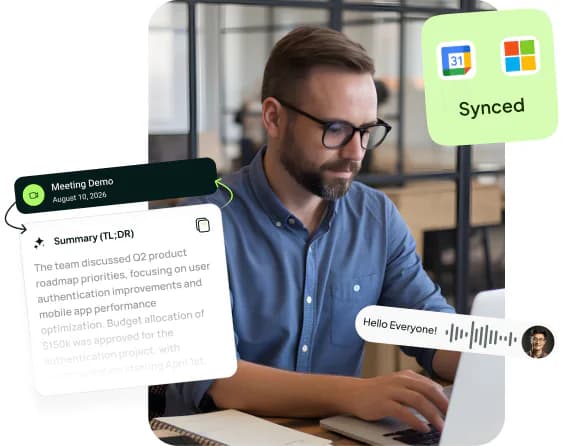
📝Meeting summaries in your chosen language
- Clear summaries after Zoom, Microsoft Teams and Google Meet meetings, with English and Hebrew language settings.
- Decisions, tasks, ownership and dates — not just a long transcript.
- Custom summary templates for sales, clients, team meetings, management and more.
🤖Visible AI meeting agent
- The bot joins the meeting with a clear visible name.
- A muted microphone and a visible participant — no hidden recording.
- If the host does not admit the bot, the system marks it and avoids misleading partial summaries.
📞Phone call summaries
- Connect supported call-recording providers and turn every recording into a transcript, summary and tasks.
- Track connectors, scans and delivered summaries from the dashboard.
- Useful for sales, service, collections, coordination and business phone calls.
🖥️Desktop app and smart dictation
- The Mesakem app for Windows and Mac records meetings straight from your computer, without adding a participant.
- Smart dictation: speak, and clean text appears in any app on your computer.
- 60 minutes of dictation a month for free, unlimited on every paid plan.
📁Recording uploads
- Drop an audio or video file of a past meeting into the dashboard, up to 1000MB per file.
- Get a speaker-separated transcript and a summary with decisions and tasks, just like a live meeting.
- Useful for in-person meetings, interviews and phone recordings.
🗂️Rooms: every meeting of a project in one place
- Group every meeting with a client, project or team into one room.
- Decisions and tasks from all the room's meetings are gathered together.
- Before the next meeting, see in a minute what was agreed and what is still open.
💬Ask the meeting
- An AI chat for every meeting: ask what was decided, who committed to what, and what was said about a topic.
- Answers are based on what was actually said in the meeting.
- On Pro you can ask across all your conversations.
✅Tasks, decisions and work dashboard
- Every meeting or call becomes a work board: decisions, owners and next actions.
- Tasks can be extracted from summary action items and appear in the dashboard.
- Track meeting status, summaries, transcripts, templates and integrations in one place.
🔌AI assistants and your tools
- Connect Claude, Codex and Grok (MCP): the assistant answers from your meetings, summaries, transcripts and tasks, read-only.
- Send tasks from a summary to Jira, Trello, Asana, monday.com, Linear and Todoist.
- An API and webhooks for developers, with Zapier and n8n.
📅Calendar connections and automatic joining
- Connect Google Calendar or Microsoft Outlook Calendar with read-only access.
- Mesakem detects upcoming Zoom/Teams/Meet links and prepares the bot to join.
- You can also invite Mesakem manually through the bot's address, or with Invite Mesakem on the dashboard.
💬Personal Telegram agent
- Receive updates and reminders in Telegram without opening the browser.
- Create tasks, view tasks and update status from your phone.
- Useful for daily follow-up on meeting and call action items.
🔐Privacy, permissions and control
- Summaries are sent only to verified email addresses you selected.
- OAuth tokens and connector credentials are encrypted, with access limited to service operation.
- Audit logs help track who requested an action, what happened and when.
📊Plans, usage and tracking
- The dashboard shows plan, remaining trial meetings and remaining call summaries.
- Admins can control modules, trial quotas, customers and costs.
- The system is designed to grow from a single user to teams with permissions and control.
AI-native follow-throughConnect your workspace to your AI tools with MCP
Mesakem has a documented read-only MCP implementation and configuration for compatible AI tools, including Claude, Codex and Grok. Confirm availability for your account and environment before setup. Use summary templates to shape the output and the Telegram agent to follow up on tasks from your phone.
A REST API and outbound webhooks are available for developers, with a Zapier integration and an n8n node built on them: read the developer docs.